Sunday, July 3, 2011

Real MAP GTA Sa

apa itu real map,,,???

langsung liat aja,,!!


tertarik kah anda???

untuk caranya    :
     replace smua radar ke gta3.img dengan menggunakan img tool atau semacamnya ..,,,(emang sih pegel tapi kalo dah slesainya,,,keren)

nih download file radar


***SINI***

Saturday, July 2, 2011

Ghost Rider Mod

mod ini berfungsi untuk membuat carachter kita seperti ghostrider

sebelumnya kalian harus download Cleo terlebih dahulu,,,,..
lalu install cleo


lalu letakan "grider.cs" ke Cleo-folder

SS      :


nih download


***SINI***

bagi yang kesusahan download di indowebster bisa di mediafire

***SINI***

Top 3 in the Emerald Faerie Challenge - Petals


Thanks to the Emerald Faerie Challenge Blog for awarding me a top 3 award in the Petals Challenge!  Can't wait for the next one! - All Things Girly - definately going pink :)

Thursday, June 30, 2011

nonton tv di internet dengan internet tv


Diooda Blog | Blog Teknologi | http://diooda.blogspot.com/ |  nonton tv di internet dengan internet tv
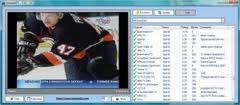
Dengan Internet TV 7.12 kita dapat menonton secara langsung lebih dari 5000 siaran di seluruh dunia pada laptop kita. Dengan software ini kita bisa mendapatkan channel siaran televisi dari 112 negara di seluruh dunia. Dan yang terpenting, softwares ini tidak boleh dimiliki oleh anak-anak yang mesih dibawah umur, karena terdapat lebih dari 30 buah siaran khusus orang dewasa.

Siaran yang dapat kita tonton dari softwares ini bisa dibilang complete; TV Berita, TV Olahraga, TV Pendidikan, Siaran Dewasa, Music TV, Cartoons TV, Movies TV, Games TV, Funny TV, Entertainment TV, TV Selebriti, Lifestyle TV, Fashion TV, Travel TV, Poker TV, Adult TV, Free TV.


Karena sangat banyak siaran yang bisa kita tonton, dengan program ini kita dapat menyaring berdasarkan rating saluran, genre, negara, kecepatan bit atau konten. Membuat daftar favorit untuk akses cepat ke saluran TV favorit Anda. Menampilkan dalam mode default biasa atau dalam mode layar penuh. Tidak ada tambahan peralatan yang diperlukan. Update database siaran dapat dilakukan secara otomatis di software ini. 

Fitur utama Interet TV 7.12 :

* 5000 channel TV
* Up to date daftar saluran
* Asli saluran sistem rating
* Tampilan default atau mode layar penuh
* Tidak diperlukan tambahan peralatan
* Memilah saluran menurut penilaian
* Mendukung berbagai format (Windows Media & RealVideo)
* Personalized saluran favorit
* Filter saluran oleh aliran, negara, kecepatan bit atau konten
* Channel dari lebih dari 121 negara
* Mudah dan simple untuk digunakan
* Free – Gratis

OS requirements for InternetTV : OS: Win98 / 98SE / 2000 / Windows XP / Windows Vista
Minimum requirements : Windows Media Player 7

Yang pasti semuanya gratis, tanpa perlu berlangganan, membayar iuran, ataupun biaya langganan perbulan. Dan juga praktis, kita tidak perlu membeli televisi, antena, tv tunner, ataupun antene parabola.

Untuk dapat menggunakan softwares ini yang pastinya kita harus memiliki koneksi yang bagus dan kencang. Apalagi banyak siaran-siaran yang terdat disini kualitas gambar, video, audio dan siarannya sangat bagus, bersih, dan jernih.

Jika anda ingin menonton langsung siaran televisi yang ada di Indonesia tanpa menggunakan software bisa KLIK DISINI


Jika anda tertarik dan ingin mencoba Software Internet TV 7.12, silahkan download pada link dibawah ini : 

Download Internet TV 7.12 
Diooda Blog | Blog Teknologi | http://diooda.blogspot.com/ | 
Diooda Blog

Download Cfosspeed v5.12 Full

Diooda Blog | Blog Teknologi | http://diooda.blogspot.com/ | Download Cfosspeed v5.12 Full | Cfosspeed v5.12 merupakan salah satu sofware yang dapatmengoptimalkan koneksi data transfer internet komputer sobat blogger.Cfosspeed v5.12 support dengan berbagai macam koneksi seperti DSL, cable, ISDN, UMTS, dan lain-lain. Software cFosSpeed v5.12 ini di request oleh satu sobat blogger, buat yang sudah request software Cfosspeed v5.12ini, langsung di cek aja yah,, okeiii
Connections :
  • "Broadband: Cable and DSL
  • "Low speed connection: Modem and ISDN
  • "Mobile (UMTS, HSDPA, GSM, GPRS, HSCSD)
  • DSL, PPPoE
  • DSL, PPPoA (VCmux and LLC)
  • DSL, PPTP
  • VDSL
  • "Cable
  • ISDN
  • IP over AAL
  • RFC1483/2684 bridged
Routing :
  • "Router and dial access
  • LAN and WLAN
  • "Modes Router and Bridge
  • VPN
  • "Multiple connections simultaneously
  • "Adjustable routes
  • "Several IP adresses per adapter
Traffic Shaping :
  • "Multi-user version
  • TX and RX prioritization
  • "L7 Protocol Analysis
  • "Prioritization of Programs
  • "RTP / VoIP Detection
  • "5 priority queues
  • "Individual rules with filter language
System requirements:
  • Windows XP / Windows Vista / Windows 7, but also Windows 2000
  • 32bit / 64bit (x64)
  • existing Internet connection
NB : Menggunakan trial reset. Thx


Download Cfosspeed v5.12 Full Indowebster Link
Download Cfosspeed v5.13 Full Indowebster Link
Download Cfosspeed v6.00.1700 Final Indowebster Link  
Download Tutorial Setting Cfosspeed v5.10 Full

Diooda Blog | Blog Teknologi | http://diooda.blogspot.com/ | 
Diooda Blog

FULL SPEED v.3.3 INCREASE INTERNET SPEED


Diooda Blog | Blog Teknologi | http://diooda.blogspot.com/ |  FULL SPEED v.3.3 INCREASE INTERNET SPEED | This software accelerate their broadband connection From dramatically and enter improvements in performance, excellent load speed, Internet Explorer and Mozilla Firefox. Speed increase its speed online with all the things you do, even up to 800% faster navigation of Web using Internet Explorer or Firefox, while maintaining the quality of the perfect web site.

Instantly Get:

1. Overall faster high speed Internet
2. Faster download speeds
3. Faster web site browsing
4. Improve Internet and Intranet performance
5. Quicker download times
6. Smoother streaming music and movies
7. Faster download for songs and video
8. Faster performance with email
9. Faster loading Web graphics
10. Faster loading Web pages
11. Faster Internet Explorer
12. Speed test for Web site browsing
13. Speed test for general data transfer
14. Works for businesses or home users
15. Improved VPN and WAN performance
16. Increased peak download speed
17. More consistent data transfer
18. Better data flow efficiency
19. Fewer corrupt downloads
20. Works over networks
21. Works with all ADSL/DSL modems and routers
22. Works over wireless
23. Smoother surfing

100% virus free
What's new in v3.6 :
  1. All the data download and Web speed tests, including 3rd Party independent online speed tests built in.
  2. Even easier to use straight from installation
  3. Pro Boost button for 1Mb and above broadband users
  4. More accurate auto' optimization for PPPoA or PPPoE
  5. Bug fixes (some settings were lost after reboot - now fixed)
  6. Further enhanced booster settings
  7. New Mozilla Firefox instant boost and tests
  8. New and instant Browser speed boost, tests and progress
  9. Even easier to read and follow when running for the first time
  10. New Refresh button action to ensure no temporary files or cached files are used when refreshing a Web page during the Web speed tests.


Download FULL SPEED v.3.3
Download FULL SPEED v.3.6 
Diooda Blog | Blog Teknologi | http://diooda.blogspot.com/ | 
Diooda Blog

Bandwidth Meter Pro v3.1.0 - Full Cracked

Diooda Blog | Blog Teknologi | http://diooda.blogspot.com/ | Bandwidth Meter Pro v3.1.0 - Full Cracked | Bandwidth Meter Pro is an easy-to-use network software for bandwidth usage monitoring, reporting, and notification. The software monitors bandwidth through computer it's installed on, displays graphical and numerical download and upload speeds in real-time (refer to screen shot below), logs bandwidth usage, and provides daily, weekly, and monthly bandwidth usage reports. And, Bandwidth Meter Pro supports running as a system service that monitors bandwidth usages and generate traffic reports automatically without log on.
Bandwidth Meter Pro works with the majority network connections including modem, ISDN, DSL, ADSL, cable modem, wireless network cards, Ethernet cards, VPN, and more. It is full compatible with Windows 98, Windows Me, Windows NT 4.0, Windows 2000, Windows XP, Windows 2003, Windows Vista, and Windows 7.
Top 10 Benefits of Bandwidth Meter Pro:
  1. See your bandwidth speed visually
  2. Bandwidth Meter Pro monitors network traffic through your computer and displays graphical and numerical download and upload speeds in real-time. You can use the software to measure the bandwidth speed of your LAN or WAN connections.
  3. Get realtime Internet bandwidth usage
  4. If you're using a dial-up connection (e.g. modem, ISDN, DSL, ADSL,cable modem) to connect to Internet, you can get the Internet bandwidth usage in real time and the total bandwidth usage to avoid overshooting your Broadband limitation.
  5. Monitor multiple network connections bandwidth speed
  6. It's very useful if your computer has multiple network connections (LAN and WAN) and you want to monitor more than one network connections bandwidth speed at the same time.
  7. Daily, weekly and monthly bandwidth usage reports
  8. Bandwidth Meter Pro logs network traffic and provides daily, weekly, monthly and summary bandwidth usage reports.
  9. Bandwidth usage notification
  10. If you're using a bandwidth limited Internet connect, you may need to get an notification when you exceed the limitation for the connection. It's available in Bandwidth Meter Pro as well.
  11. Monitor Bandwidth usage of your server
  12. Bandwidth Meter Pro supports running as a system service. This means the software monitors bandwidth usage of your server without log on. The service monitors bandwidth usage, record rates, and generate traffic report in txt, csv, and html formats every N seconds. So, you can export traffic reports in html file to your web directory, and then browse the file to view bandwidth usage anywhere and anytime.
  13. Test download and upload speeds of your network connections
  14. The built-in speeds stopwatch can help you to test the download and upload speeds of a network connection in a user-specified period.
  15. Record traffic rates of a specified connection
  16. Bandwidth Meter Pro provides a useful tool - traffic rates recorder, which records download and upload speeds of one or more connections and export to a text or Microsoft Excel .csv file.
  17. No extra drivers needed
  18. The Bandwidth Meter Pro doesn't install extra drivers to your computer. This will keep your system clean and reliable.
  19. Small, simple, accurate and reliable
  20. Size of Bandwidth Meter Pro is less than 1 MB; it has a simple interface, and it displays the accurate bandwidth speed and usesvery low resources.
Download Bandwidth Meter Pro 2.6 Original Website
 
Diooda Blog | Blog Teknologi | http://diooda.blogspot.com/ | 
Diooda Blog